

Zetta Focus Console
A focus timer you drive from a terminal.
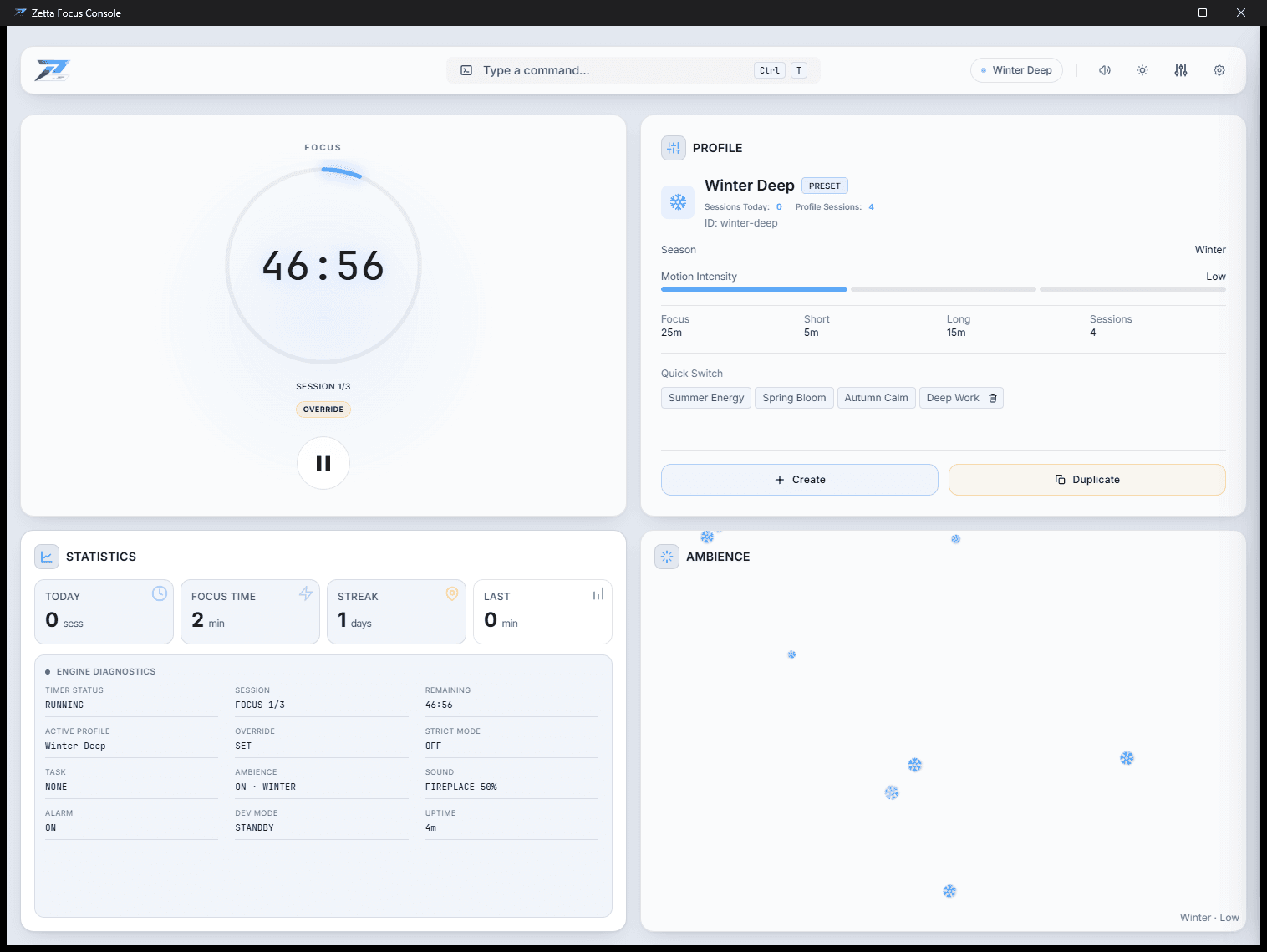
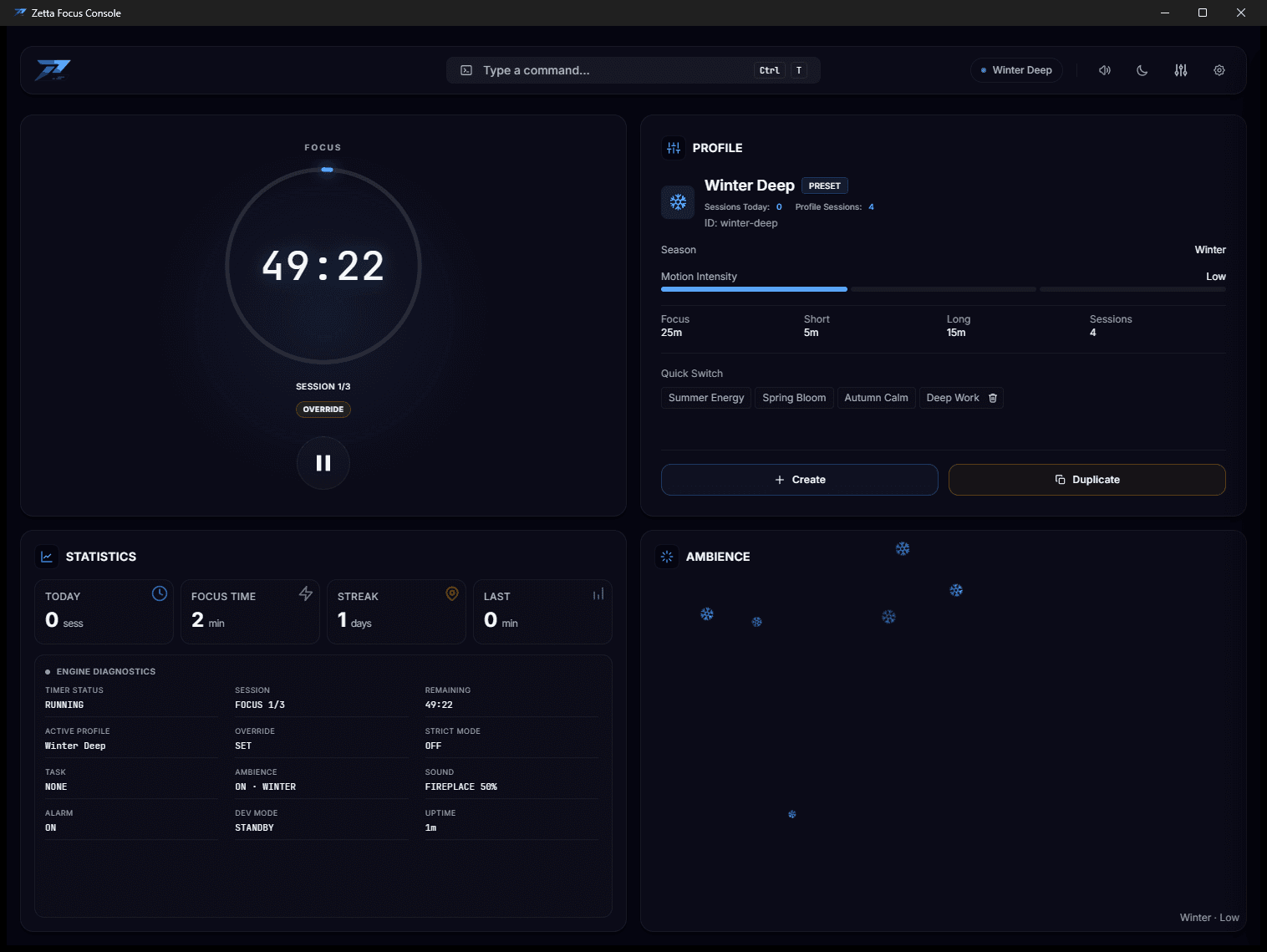
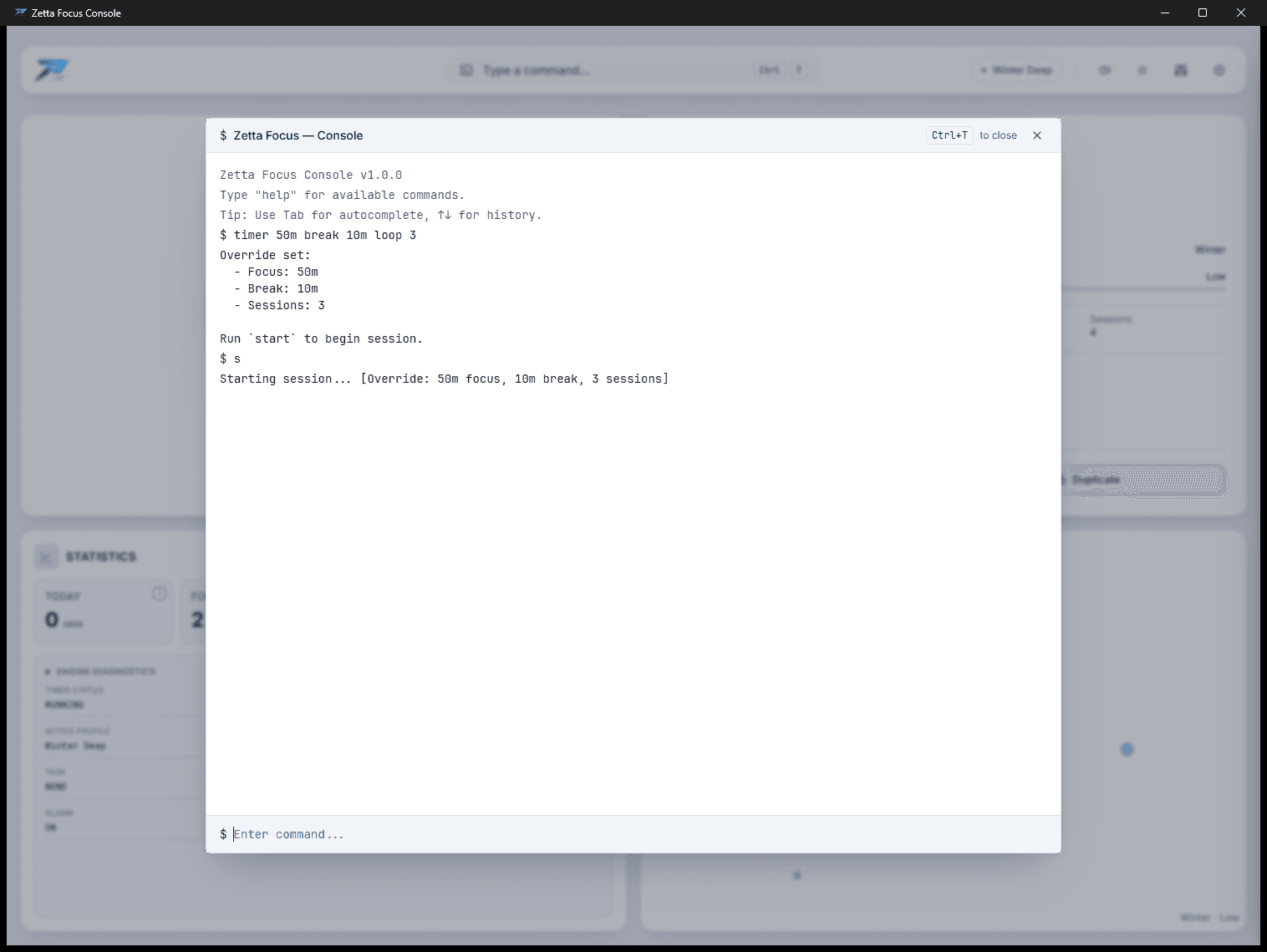
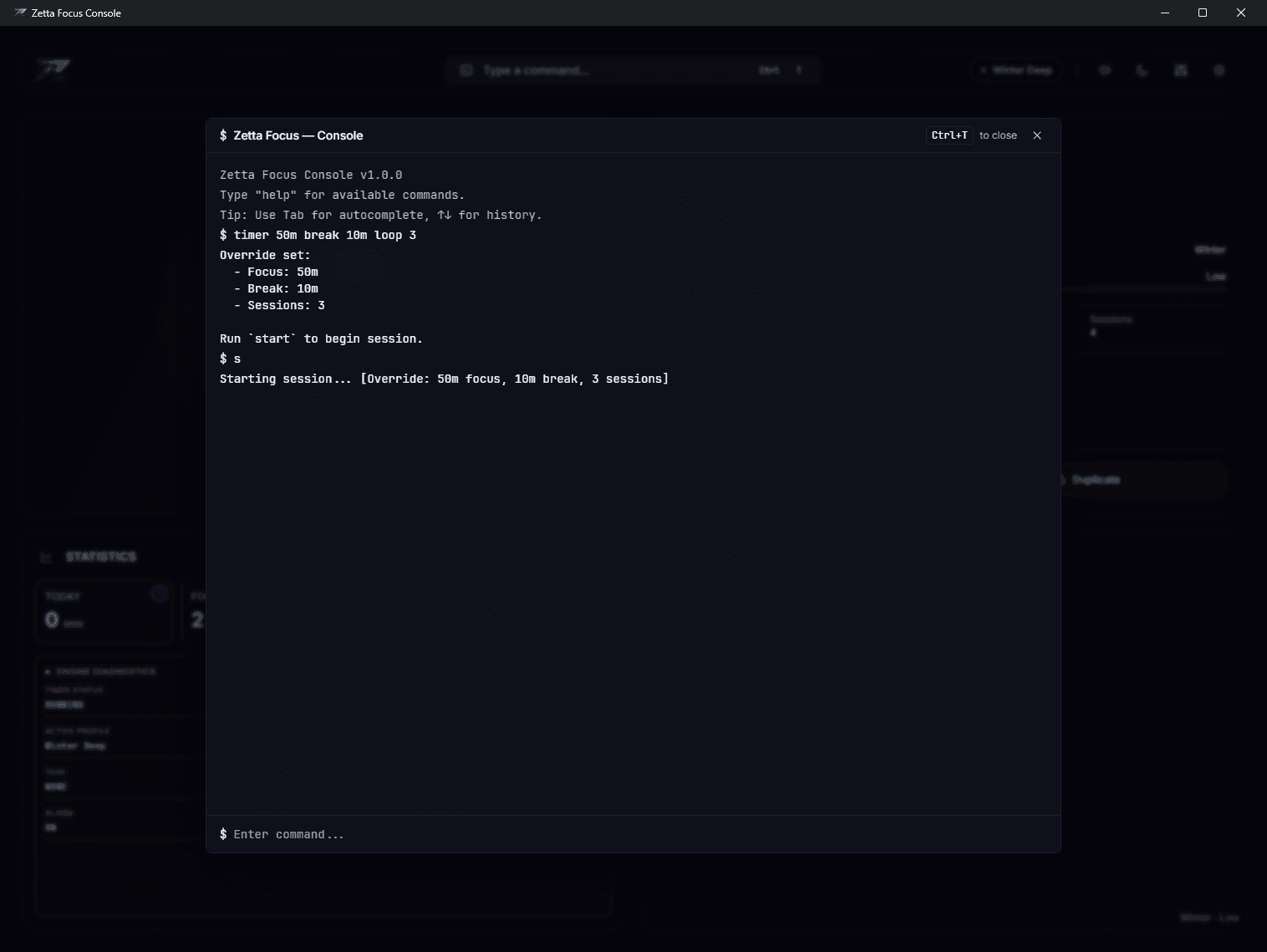
Type timer 50m break 10m loop 3, press enter, and get back to work. It is a Pomodoro timer, but the interface is a command line rather than a settings screen, the timer state lives in Rust rather than in the browser, and the window behind it drifts with the season — snow in winter, blossom in spring, falling leaves in autumn — over an ambient loop.
No account, no telemetry, nothing leaves the machine.
Why a terminal
Every timer app puts duration behind a settings panel: open it, find the field, clear it, type, close it. That is four interactions to change one number, and you do it constantly, because 25/5 is a default rather than a fit — some work wants fifty minutes and some wants fifteen.
A command line is one interaction. s starts, p pauses, r stops; those three and timer cover most days, with aliases for the handful used constantly and a history that survives a restart.
$ Zetta Focus — Console
Tab completes · ↑↓ history
Zetta Focus Console v1.0.0
Type "help" for available commands.
Tip: Use Tab for autocomplete, ↑↓ for history.
The real grammar, parsed here. Try break 10m timer 50m loop 3 — the order does not matter. The engine itself is Rust, and lives in the app.
What it does
The command line is the interface
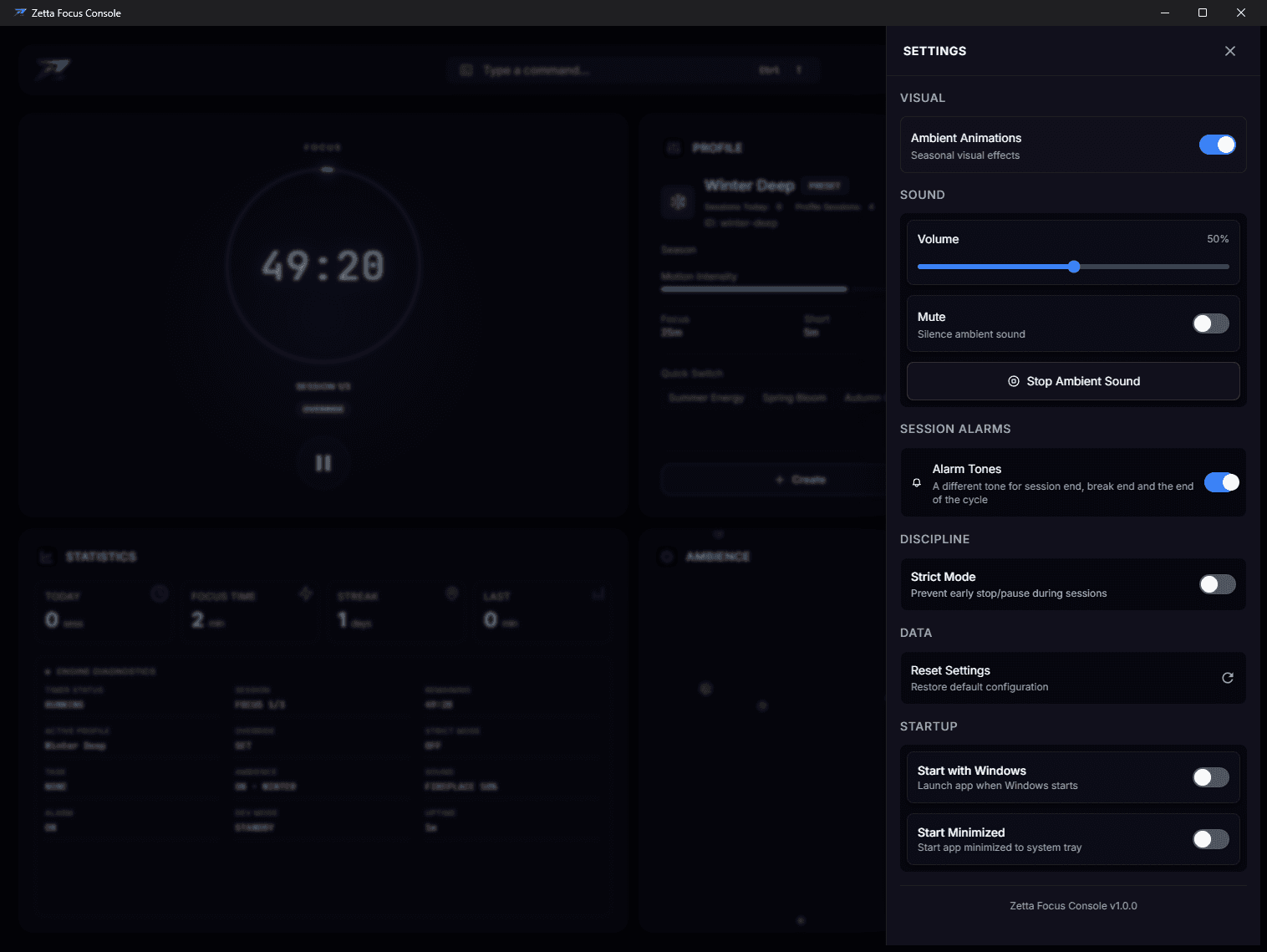
Durations, profiles, sound, strict mode and the engine’s own state are all reachable by typing. There is no settings screen you have to go and find.
Rust owns the clock
The timer is a state machine in Rust and the interface renders what it reports, keeping no clock of its own — so there is nothing to drift out of step.
A week you can see
The statistics panel keeps a row per day and draws the last seven as bars, scaled against your own best day rather than a target the app invented. Ninety days are kept.
Strict mode
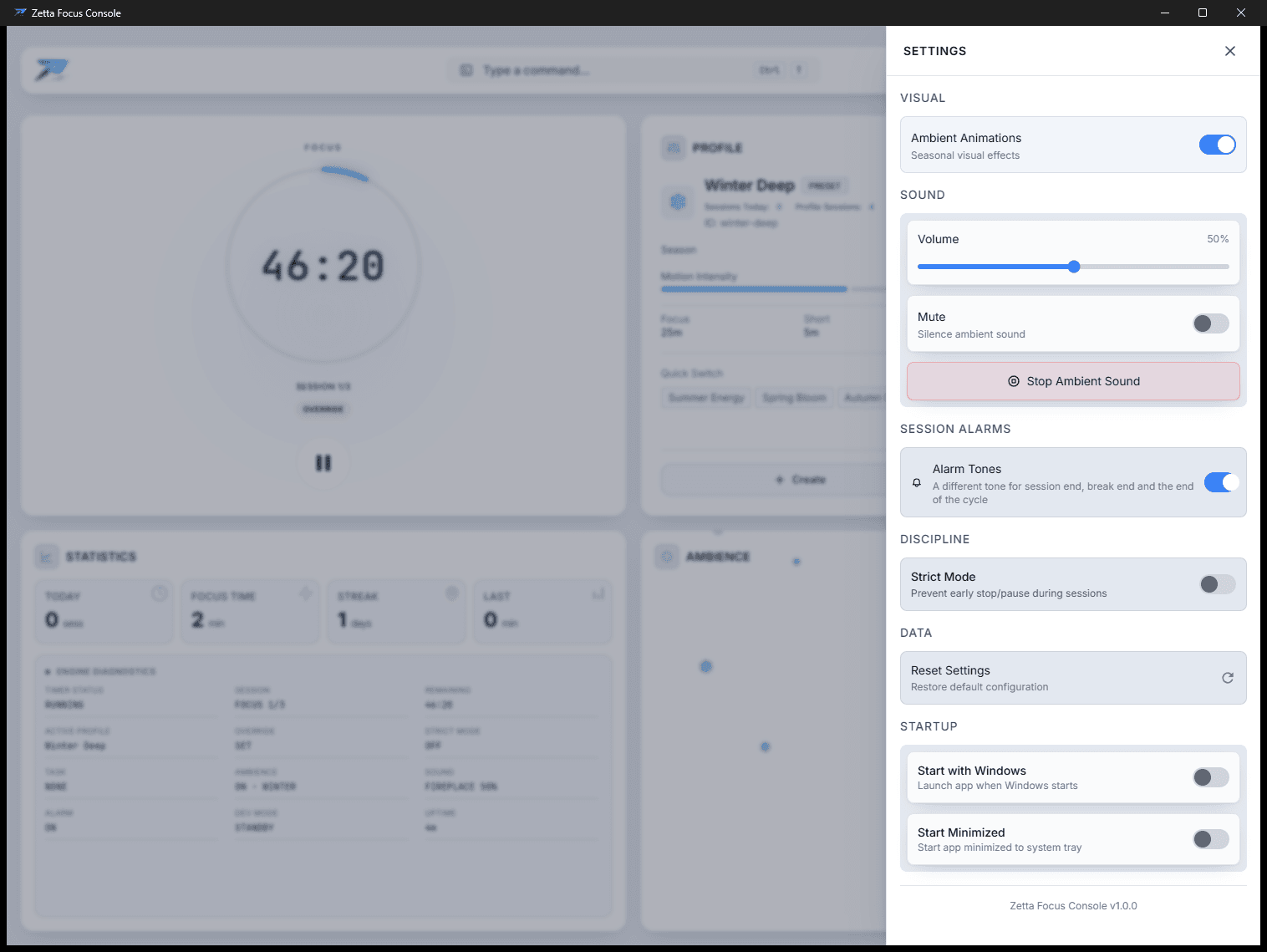
Start a session that cannot be paused or stopped. Force-closing the app marks it failed.
Profiles
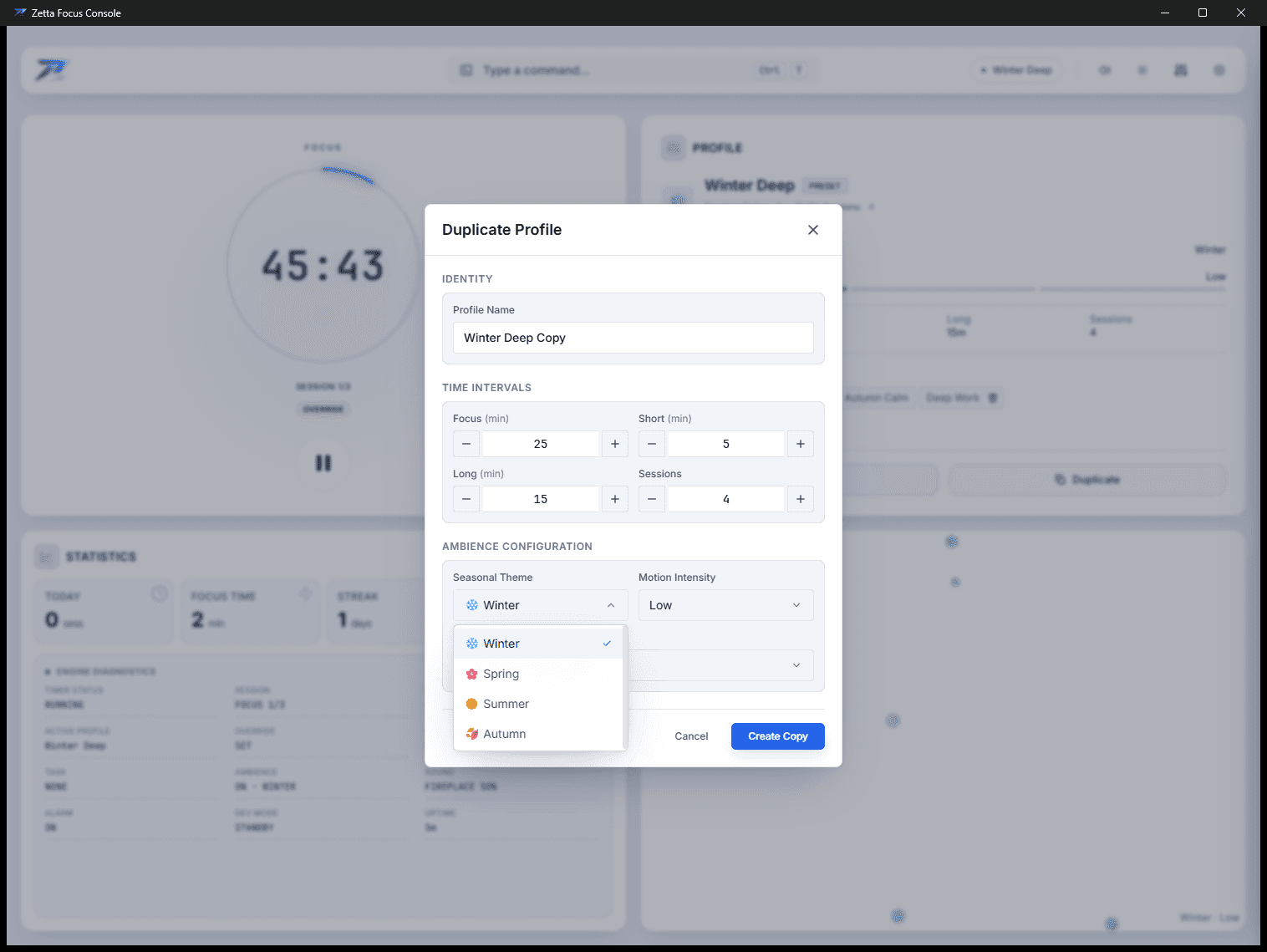
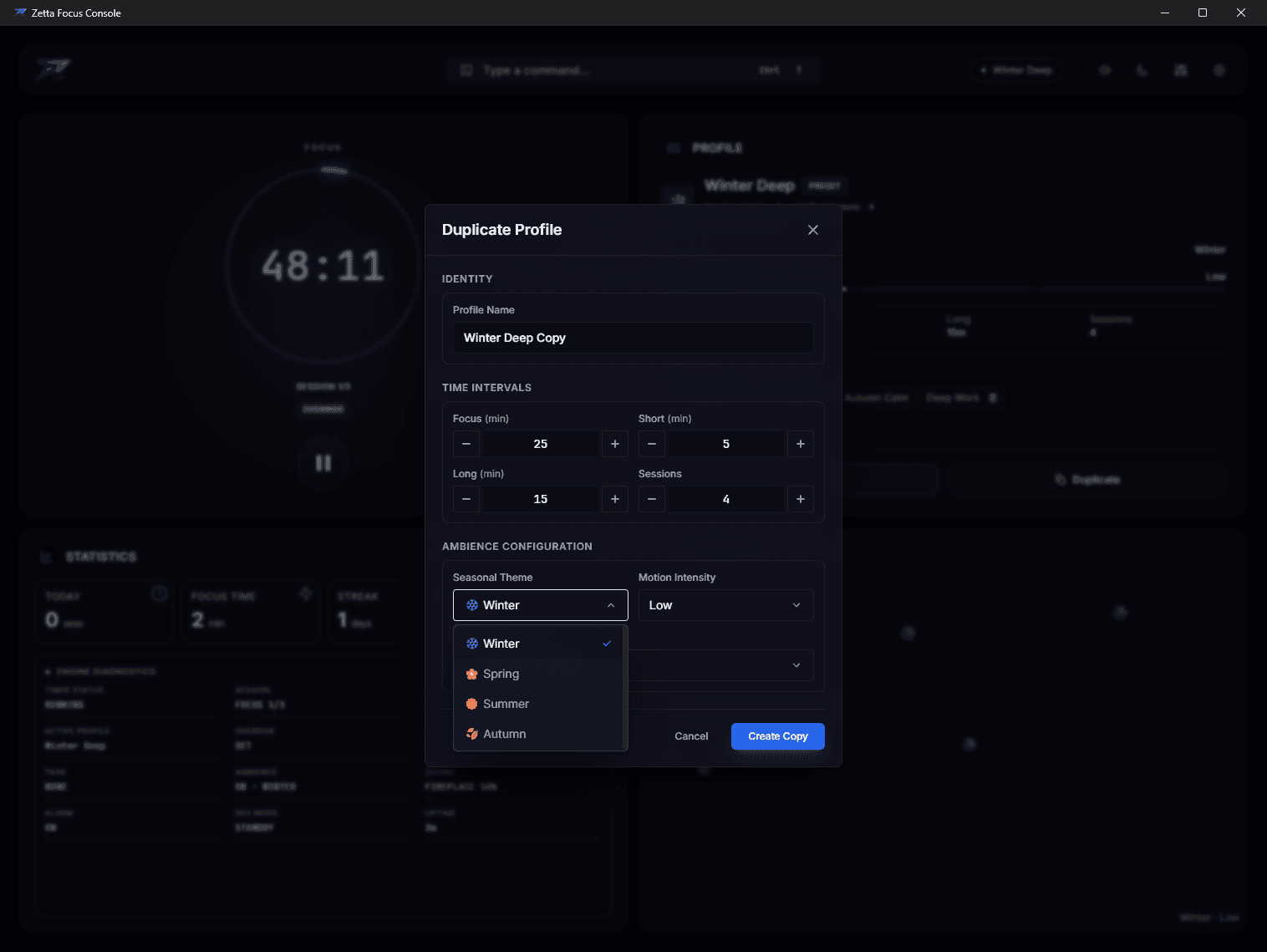
Four presets plus as many of your own as you want — duration, season, motion, sound and volume, per profile.
Sound that ships with the binary
Three synthesised alarm tones, generated in the app so nothing is downloaded and they sound the same everywhere, over four seamless ambient loops embedded in the binary.
Decisions, and what they cost
Every one of these is recorded in the repository itself. They are here because a choice explained is worth more than a feature listed.
Rust is the authority on state
AppState holds the timer, the active profile, sound and strict mode. Every command — typed into the terminal or clicked in the UI — goes through execute_command and comes back as a state event the interface renders. The React side owns no timer state of its own, which is what removes the entire class of bugs where two clocks disagree. The tray icon is drawn from that same state.
Vorbis, not MP3
Every ambient track loops forever. MP3 carries encoder delay and padding that decode as silence at both ends, so each pass through the loop clicks audibly. Vorbis is gapless.
Forty-five second loops
The source recordings ran up to ten and a half minutes at 256 kbps. Since they loop, everything past the loop point is inaudible — and those four files were 42 MB of a 44 MB bundle. Cutting them to the loop point is most of the difference between a 44 MB download and a 5 MB one.
One persistent system probe
sysinfo’s System::new_all() snapshots every process, disk and network interface on the machine. Building one every five seconds to read two numbers is both wasteful and wrong: CPU usage is a delta between refreshes, so a freshly built System always reports zero.
The ambience is text
Each particle is the profile’s own emoji in a div, moved by a CSS transform. A glyph is rasterised into a shared cache once and reused by every particle, where an SVG would be a path subtree each and a blurred gradient a texture each — so the cheapest thing to draw is also the one that ties the panel to the active profile. No video, no sprite sheets, no WebGL.
The tray icon is drawn, not shipped
Four PNGs would be four more files to keep in step with the app mark, and a progress arc would need a file per position. It is rasterised from the bundled icon at 32×32, quantised to twenty-four arc positions, and handed to the OS only when it would actually change — so a fifty-minute session repaints the tray two dozen times rather than three thousand.
The history was squashed, and the README says so
The repository opens at a single commit. It was roughly eighty commits as a private project, and that history carried 42 MB of the original uncompressed audio — which every clone would have paid for forever to fetch files the app no longer uses — alongside planning documents for a paid version that no longer exists. Squashing it was the right call; leaving it unexplained would not have been.
How it is put together
src-tauri/src/
  engine.rs      EngineState: app state, sound, system probe
  state.rs       AppState, preference load and save
  commands/      timer.rs (engine + command processing), profile.rs, parser.rs
  sound.rs       Vorbis playback via rodio
  storage.rs     preferences.json
  tray.rs        the tray icon, drawn from the same state
src/
  components/    UI, including the ambience in ambient-panel/
  hooks/app/     the bridge to Rust — one state subscription, no local clock
The bridge is one state subscription. Nothing on the React side keeps a clock.
Language mix
- TypeScript49.9%
- Rust44.8%
- CSS4.4%
- Clock
- Rust state machine
- Interface
- Command line + UI
- Ambient audio
- Vorbis, gapless
- Alarms
- Synthesised in-app
- History kept
- 90 days, local
- Network
- None
- Telemetry
- None
- Licence
- MIT
- Rust
- Tauri 2
- React 19
- TypeScript
- rodio
- sysinfo
Everything you can type or press
The session commands
The three duration commands compose into one line in any order, which is the whole argument for typing at it. A duration on its own is a one-off; add loop 3 and you are asking for a cycle instead. Durations accept 25m, 90s, or a bare number read as minutes.
- timer 50m break 10m loop 3
- Set focus, break and session count in one line
- start · s · st
- Start a session
- pause · p
- Pause
- resume
- Resume
- stop · r
- Stop the current session
- status
- Current session state
- override clear
- Drop the override, return to profile defaults
Beyond the session
Tab completes, ↑ and ↓ walk the history, and the history is kept next to your preferences on disk rather than in the window — so it survives a restart. Typing help opens the full list inside the app, over the console rather than instead of it.
- profile list · switch · create
- Four presets plus your own — duration, season, motion, sound and volume
- season · theme · ambience
- spring | summer | autumn | winter, dark | light | system, particles on or off
- sound play · volume · mute
- Ambient audio and its level
- strict on
- No pausing or stopping until the session completes
- task set "name"
- Bind an intention to the session
- stats
- Statistics, and how the last seven days went
- system · memory · cpu · usage
- Host and engine diagnostics
- engine state
- Full engine state dump
Shortcuts
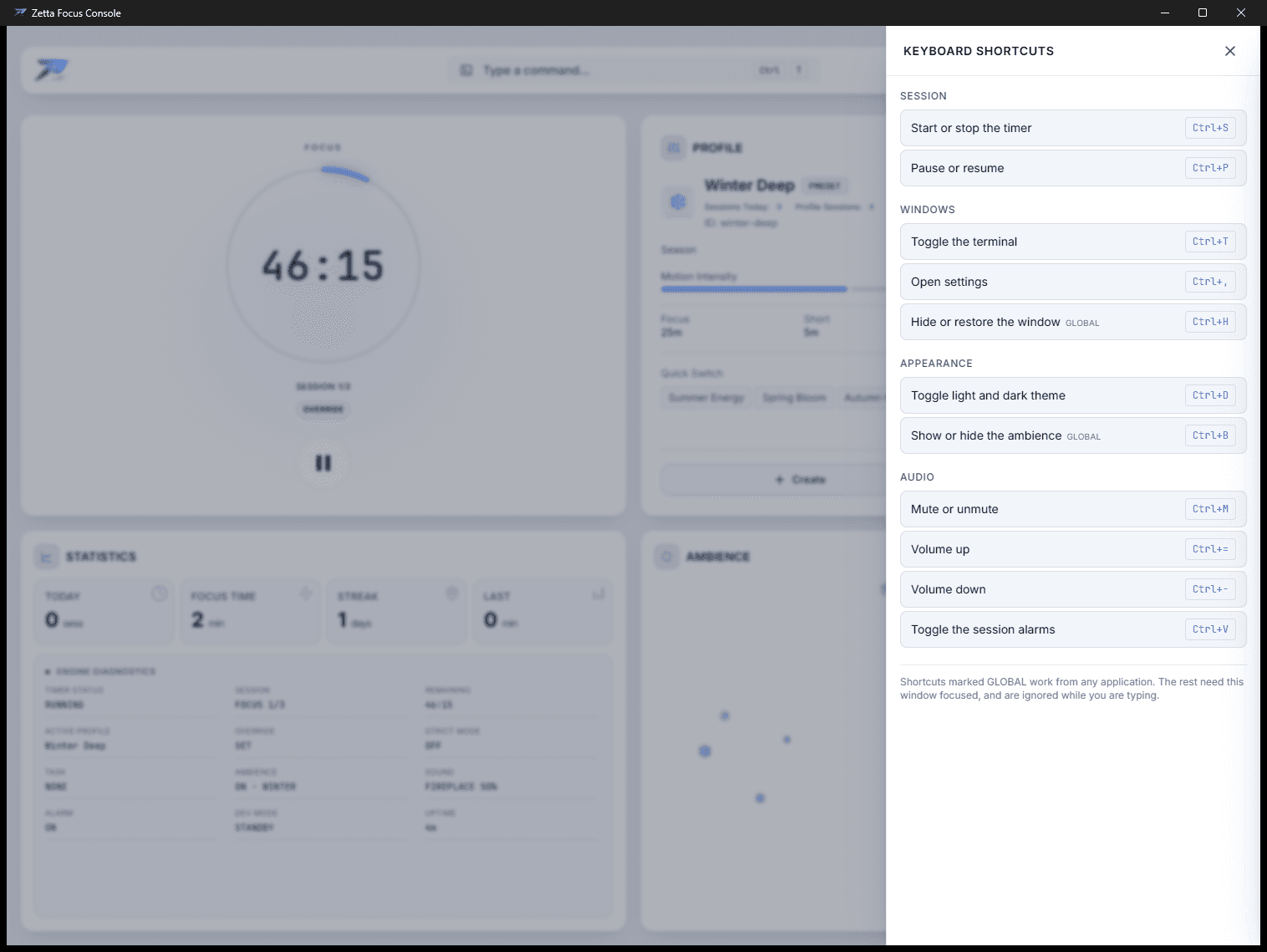
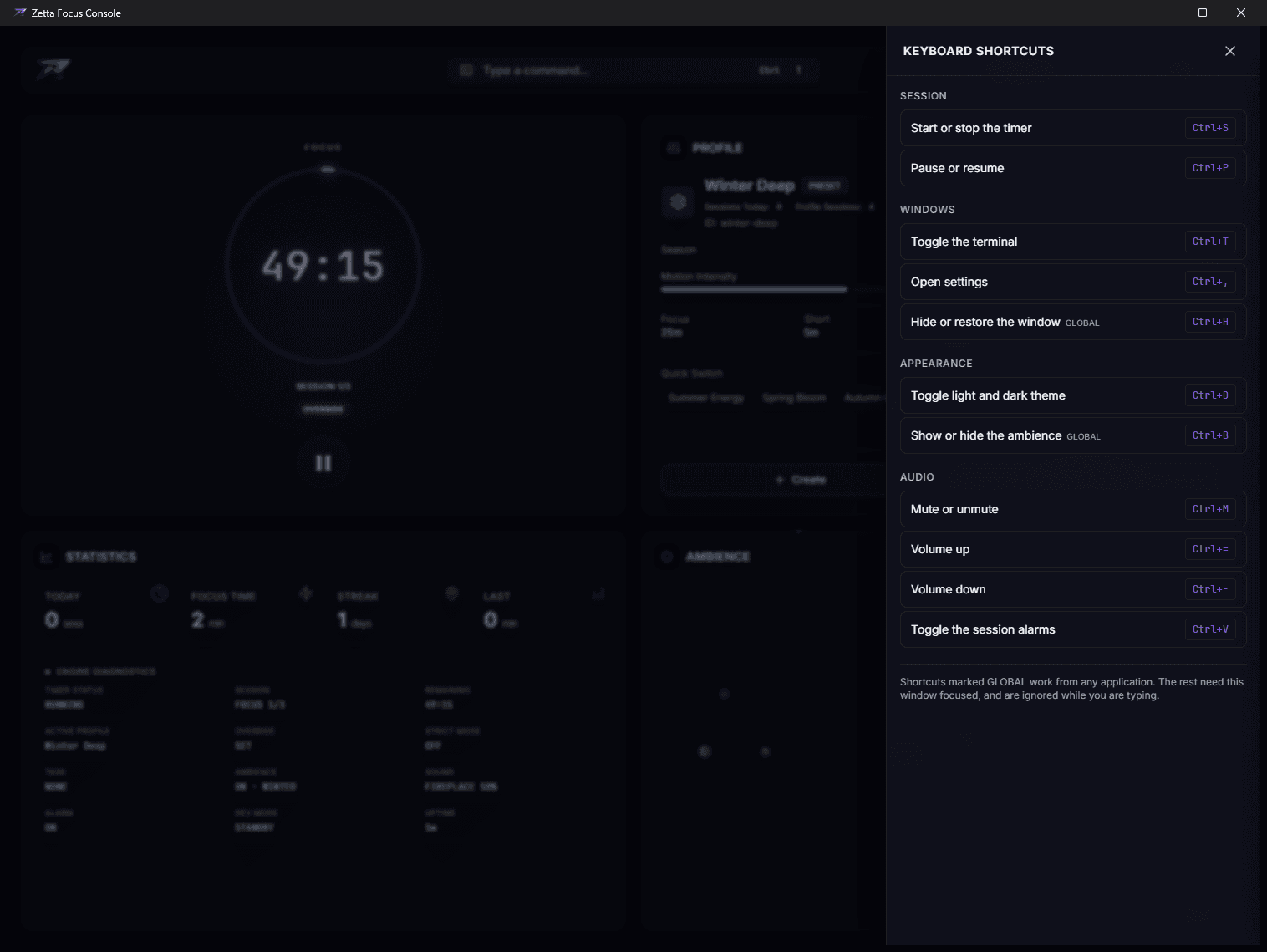
The two marked global work from any application; the rest need the window focused. The tray menu carries start, stop, pause, resume, settings and quit.
- Ctrl+S
- Start or stop the timer
- Ctrl+P
- Pause or resume
- Ctrl+T
- Toggle the terminal
- Ctrl+,
- Open settings
- Ctrl+H
- Hide or restore the window — global
- Ctrl+D
- Toggle light and dark theme
- Ctrl+B
- Show or hide the ambience — global
- Ctrl+M
- Mute or unmute
- Ctrl+= / Ctrl+-
- Volume up and down
- Ctrl+V
- Toggle the session alarms
Where your data lives
One file, on your machine.
- Windows
- %APPDATA%\ZettaFocus\preferences.json
- macOS
- ~/Library/Application Support/ZettaFocus/preferences.json
- Linux
- ~/.local/share/ZettaFocus/preferences.json
It holds your profiles, theme, volume, statistics, preferences and the console’s command history. There is no account, no sync, no analytics and no network call — the app does not open a socket. Delete it to reset completely.
Build it yourself
Needs Rust, Node 20+ and Bun. On Linux you also need the Tauri system dependencies — webkit2gtk, and libasound2-dev for audio.
bun install
bun run tauri build      # installers land in src-tauri/target/release/bundle
bun run tauri dev        # or run it in development
Each platform builds only its own artifacts; the release workflow in the repository does all of them at once.
Download
v1.0.010 August 2026
Choose a build
- LinuxFedora / RHEL6.6 MB
- macOSDisk image7.1 MB
- LinuxAppImage81.2 MB
- LinuxDebian / Ubuntu6.6 MB
- WindowsInstaller5.2 MB
- macOSApp archive6.3 MB
5 downloads of this release. Checksums and release notes are on the releases page.
The macOS builds are unsigned, so Gatekeeper will call the app damaged on first run. It is not — the repository has the one command that clears it, and the reason the Intel build is missing.